Rollout Visibility
See adoption, gaps, and practice activity across larger teams
Shared visibility helps leaders see who is practicing, where coverage is slipping, and where follow-up is needed as rollout expands.
Enterprise Readiness
ConvinceIQ helps enterprise teams roll out practice across larger sales organizations while keeping manager oversight, workspace control, and compliance-sensitive review in one system.
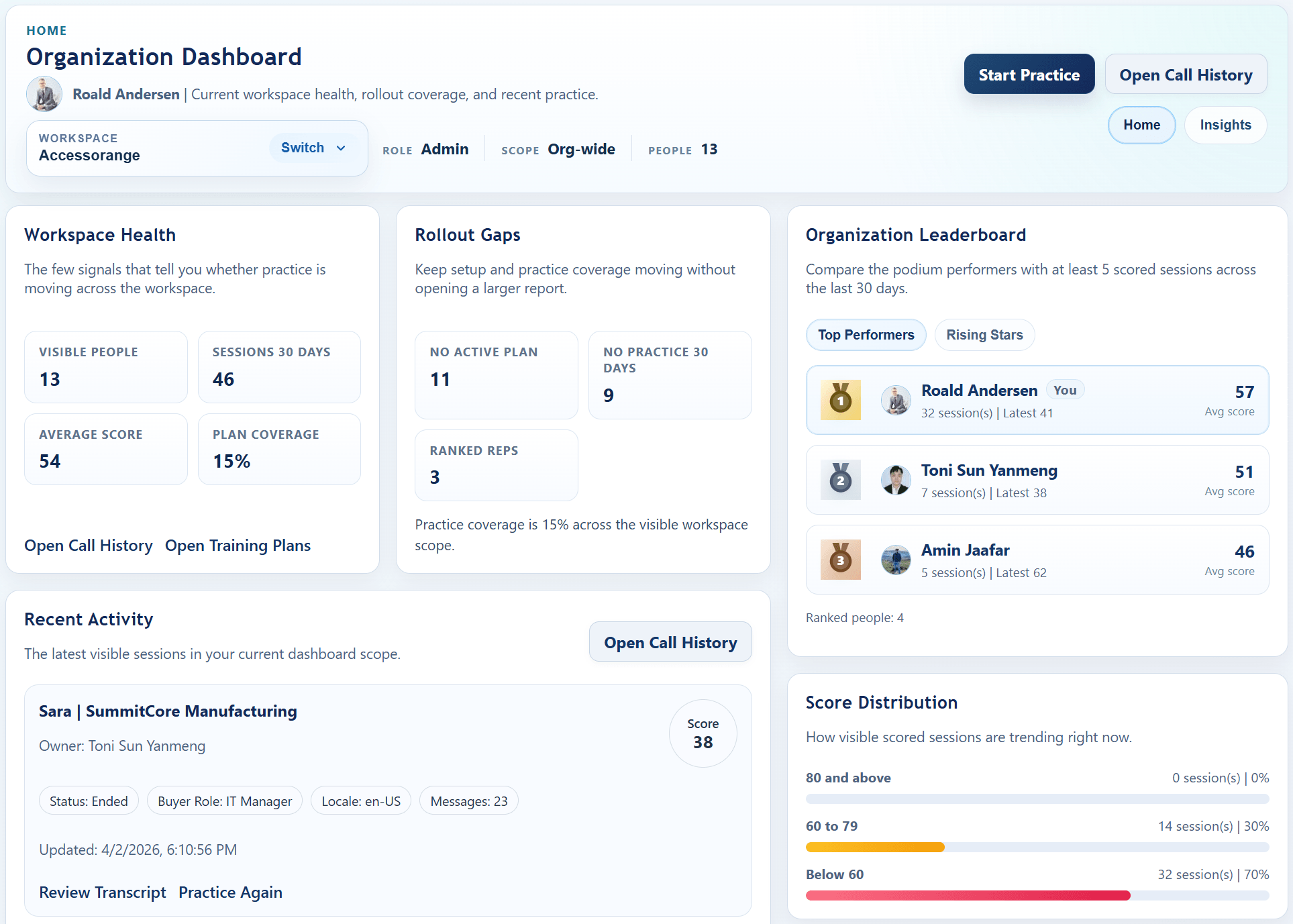
Org-level dashboard with workspace scope, rollout gaps, leaderboard visibility, and recent practice activity in one place.
Why Enterprise Teams Care
Show how leaders monitor adoption, managers coach from saved evidence, and admins manage access and ownership without stitching together separate tools.
Rollout Visibility
Shared visibility helps leaders see who is practicing, where coverage is slipping, and where follow-up is needed as rollout expands.
Manager Review
Managers can review transcript detail, score breakdowns, and buyer-belief signals inside the same saved session record.
Admin Control
Invite flows, reporting lines, workspace switching, and setup-data maintenance stay close to the coaching workflow.
How Rollout Stays Controlled
Enterprise rollout gets easier when access, transcript review, saved artifacts, and setup ownership stay attached to the same workspace.
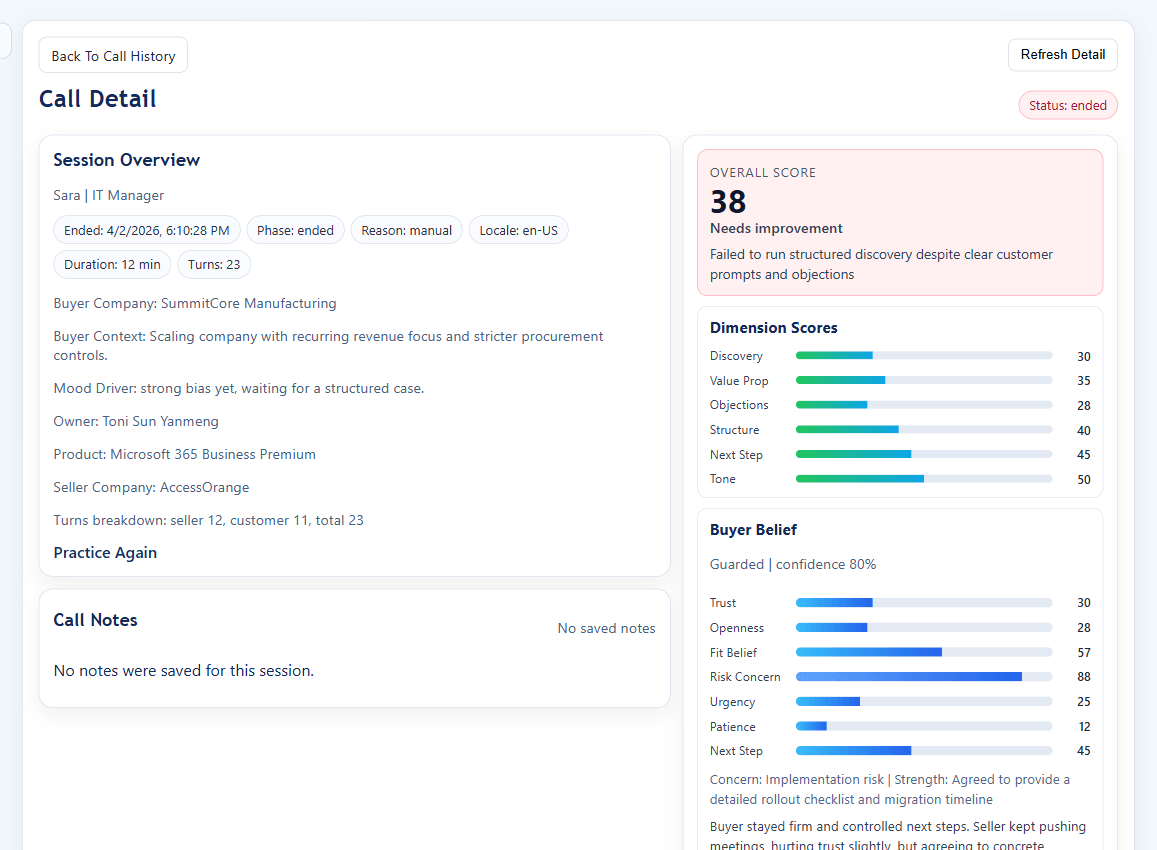
Transcript review stays attached to the same owner, score breakdown, buyer context, and saved session record used during practice.
Security & Compliance
ConvinceIQ is GDPR compliant and privacy-first. Identity, encryption, and workspace isolation are built into the platform your team uses every day.
What Leaders Can Evaluate Now
Evaluate regional support, saved review records, security questions, and setup workflows that stay aligned to current messaging.
Regional Teams
Support for 19 languages, translation-aware review, and shared score workflows help managers coach mixed-language teams in one review flow.
Compliance Readiness
Call history, saved recordings, and grouped people views stay scoped to the current organization so review is easier to trace.
Security Evaluation
Enterprise teams can use the demo and follow-up review to cover identity, workspace separation, admin access, and rollout questions early.
Operational Fit
Teams can upload product and company source materials to enrich setup data instead of maintaining scenarios by hand across separate tools.
How The Evaluation Works
Use the demo to walk through the live product, team structure, and controls your rollout needs before deployment expands.