ConvinceIQ
Menu

How It Works

From selling context to live practice to manager coaching in four steps.

ConvinceIQ is designed to move teams from setup into a realistic call, then keep transcript, score, and coaching data connected after the session ends.

Workflow

The four-step ConvinceIQ flow

The product is built so each step naturally hands off to the next, rather than forcing practice, review, and coaching into separate systems.

01

Load selling context

Start by grounding the experience in the context your team actually sells with: product profiles, seller-company messaging, saved buyer personas, and supporting materials.

  • Product profiles store value proposition, objections, proof points, and discovery prompts.
  • Company profiles give the simulator and score engine the seller-company positioning to work from.
  • Buyer personas save mood, identity, and company context so scenario setup stays reusable.
02

Launch the practice call

Choose the buyer persona, locale, voice, and call duration, then start the live session. The call begins automatically so reps move directly from setup to execution.

  • Voice and locale settings shape how the conversation sounds.
  • The timebox adds realistic pacing pressure.
  • Typed responses remain available when teams want a text fallback.

After Step Two

See the live workflow while the details are still fresh

The midpoint of the story is usually where buyers decide whether the experience feels concrete enough to evaluate seriously.

03

Review transcript and score

ConvinceIQ keeps the transcript, score output, and session history together so reps and managers can evaluate what happened after the call ends.

  • Score snapshots refresh during active calls and once more when the session ends.
  • Ended sessions can include saved recordings for review.
  • Transcript markers show how the conversation moved from opening to close.
04

Coach and improve

Managers use review data to prioritize follow-up coaching, while teams repeat the same scenario with clearer execution goals on the next round.

  • Recent and People views help managers focus on the right rep or session.
  • Strengths, improvements, and next-practice goals make coaching more actionable.
  • Setup, invites, and organization controls stay close to the practice workflow.

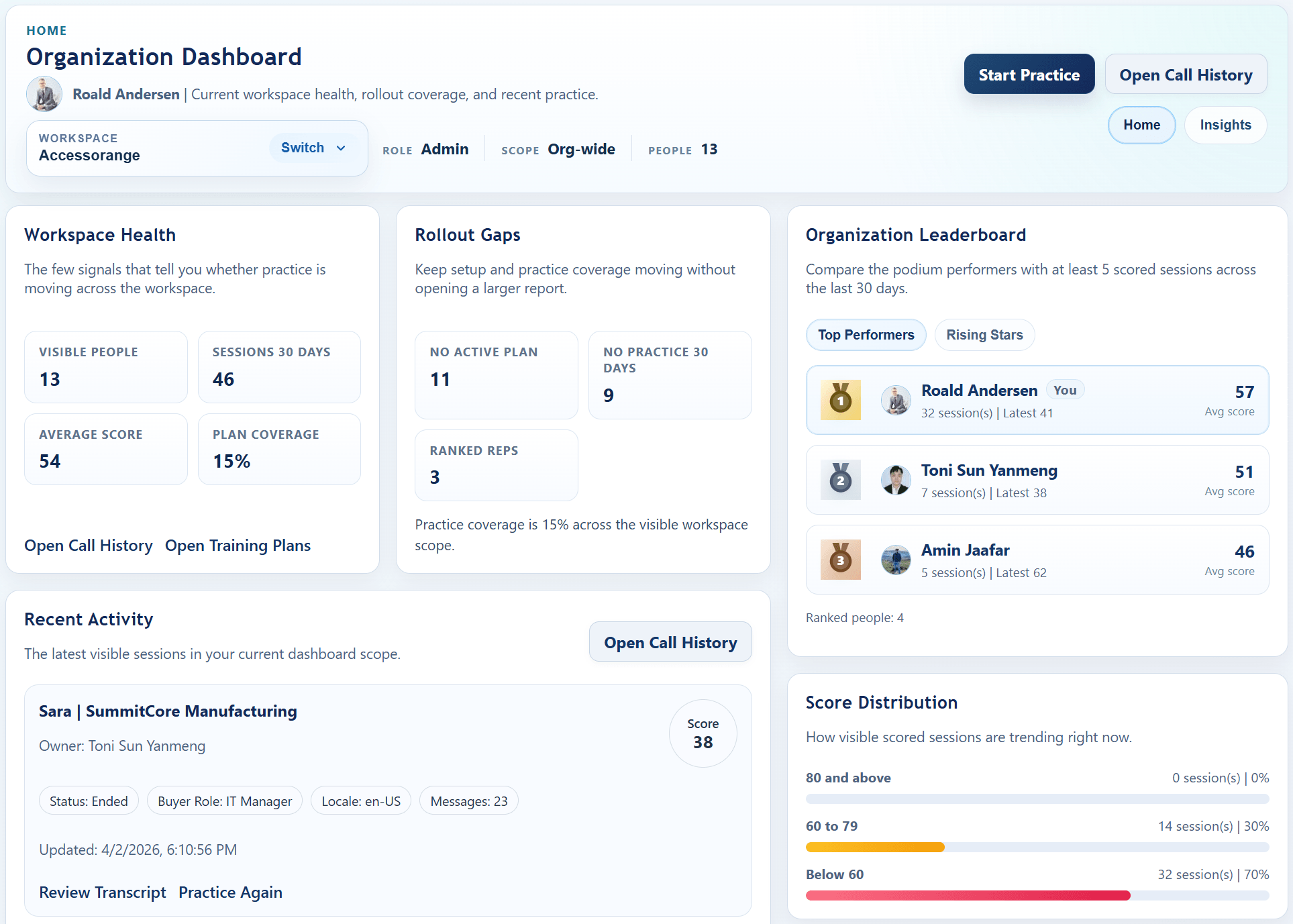
Rollout Snapshot

What rollout looks like inside the product

Enablement teams do not just start calls. They also need the context and workspace structure that make the calls reusable.

Product and company contextLoad the message, proof points, objections, and seller profile that should show up in practice.
Buyer persona selectionChoose the saved buyer identity, mood, and company context before reps start the session.
Locale and timeboxPick the supported voice locale and pacing pressure that match the real conversation.

Rollout View

What rollout looks like

ConvinceIQ rollout starts with context and operating structure, not just a demo login. Teams get more value when buyer personas, product messaging, invites, and coaching expectations are aligned before the program scales.

  • Load product, company, and buyer context so the practice experience sounds like your environment.
  • Set organization, roles, reporting lines, and teammate invites before broader rollout.
  • Begin with discovery, pitch rehearsal, or objection handling for the highest-priority team workflow.
  • Use review data to reinforce the right behavior and keep practice tied to manager follow-up.

Final CTA

Walk through the full ConvinceIQ loop with your team’s own use cases in mind

A focused demo can show the practice flow, the review surface, and the rollout conversation in one session.